Tino Script: A Font for Impactful Campaigns
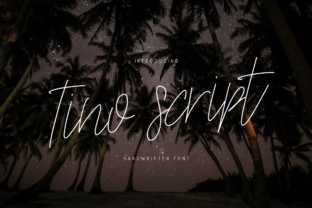
It’s 9 a.m. on a Tuesday, and I’m staring at a blank canvas for the latest product launch. The client wants something bold, something that stands out in a sea of digital noise. I’ve tried a few options, but nothing feels right. Then it hits me—Tino Script. A monoline script with a dancing baseline and thin weight, it’s the kind of font that makes a message pop without shouting.
As a marketer, I know that typography isn’t just about aesthetics—it’s about clarity, consistency, and connection. Tino Script brings all three. Its elegant curves and fluid strokes make it perfect for headlines, callouts, and visual anchors that guide the eye through a campaign. It’s not just a font; it’s a tool for storytelling.
What Makes Tino Script Stand Out?
Tino Script is a monoline script, which means its strokes are uniform in thickness. This gives it a clean, modern feel while maintaining the organic warmth of a handwritten style. The dancing baseline adds a subtle, playful energy that sets it apart from other scripts. It’s not too ornate, not too minimal—it’s just right.
When I first saw Tino Script, I was struck by its adaptability. It works well in both high-contrast and low-contrast environments, making it ideal for a wide range of design applications. Whether I’m designing a social media post or a landing page header, Tino Script offers a level of sophistication that feels natural and professional.
Using Tino Script in Real Campaigns
One of the most common use cases for Tino Script is in social media graphics. For a recent Instagram campaign, I used it as the main headline for a series of promotional posts. The font’s thin weight made it easy to read on mobile screens, while its flowing style added a touch of elegance that matched the brand’s aesthetic.
I also used Tino Script for a YouTube thumbnail set. The font’s legibility at small sizes was crucial—thumbnails need to be instantly recognizable, even when viewed on a phone. Tino Script delivered. Its clear, open letterforms made the text stand out against the background, helping to increase click-through rates.
Another project involved a webinar promotion. I needed a font that could work as a banner header and still maintain readability in dark mode. Tino Script handled both scenarios effortlessly. Its thin weight didn’t get lost in the shadows, and its consistent stroke width made it easy to pair with a sans serif body font for the supporting text.
Best Practices for Using Tino Script
When working with Tino Script, I always start by checking the included styles and alternates. These variations allow for more creative flexibility, especially when designing for different platforms or formats. Ligatures and custom glyphs can add a unique touch to branded content, making the font feel more personalized and intentional.
Readability is key, especially when using Tino Script in small sizes or on thumbnails. I recommend keeping the text short and focused. It’s best suited for headlines, logos, and decorative titles rather than long paragraphs. When paired with a clean sans serif or serif font, Tino Script can create a strong visual hierarchy that guides the viewer through the content.
For digital ads and email banners, I often use Tino Script as a secondary font. It adds a touch of personality without overwhelming the main message. In web design, it’s great for headers and buttons, where its thin weight can contrast nicely with heavier body text.
Pairing Tino Script with Other Fonts
Font pairing is an essential part of any design workflow. With Tino Script, I like to pair it with a simple, neutral sans serif for balance. This creates a nice contrast between the script’s fluidity and the sans serif’s structure, making the overall design feel more cohesive.
For a more traditional look, I sometimes pair Tino Script with a serif font. This combination works well for editorial designs, packaging, or branding projects that require a classic yet modern feel. The contrast between the two fonts enhances readability while adding visual interest.
When working with other script fonts, I tend to use Tino Script as a secondary element. It’s less ornate than some other scripts, so it doesn’t compete with them. Instead, it complements them, creating a layered, sophisticated look that feels intentional and polished.
Considerations Before Use
Before finalizing any campaign, I always check the font’s file formats and licensing. Tino Script is available in multiple formats, including OTF and TTF, which makes it compatible with most design software. The commercial license allows for use in ads, templates, and merchandise, which is important for clients who need flexibility in their branding.
Multi-lingual support is another factor I consider. If a campaign targets international audiences, I make sure the font supports the necessary languages. This ensures that the message remains consistent across different regions and markets.
Finally, I test Tino Script in different environments. I check how it looks on dark backgrounds, light backgrounds, and in fast-scrolling feeds. This helps me understand how it will perform in real-world scenarios and whether it needs any adjustments before being used in a live campaign.
As a marketer, I rely on tools that enhance my creative process without complicating it. Tino Script does exactly that. It’s a premium font that brings elegance, clarity, and versatility to any campaign. Whether I’m designing a social media post, a webinar banner, or a landing page header, Tino Script is always one of my go-to choices.